Know the contract
Check contract size, tick value and trading hours. Look up first notice and last trade by contract month, with any verified broker cutoff shown separately.
Contract DirectoryContract Calendar
E-Futures by Cannon Trading
Mission control for the decisions you make before a futures trade.
E-Futures Space Station is a free browser workspace for futures trading tools. Put calculators, contract specifications, delivery dates and a chart on one desk so you can check the numbers without jumping between tabs. No brokerage login is needed to explore.

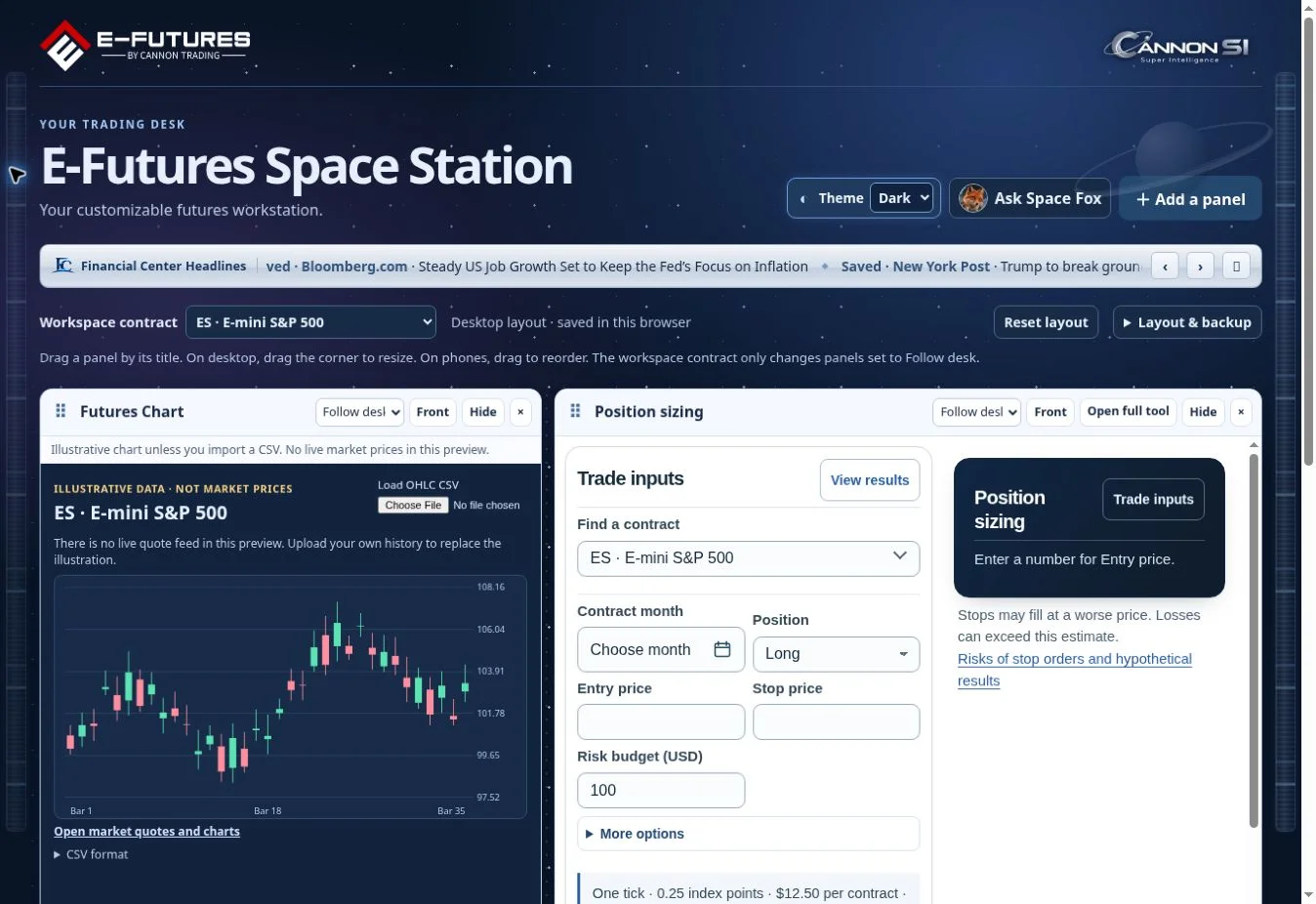
Start with a contract. Check what a tick is worth, what a price move means for your profit or loss, and which dates could affect your plan. Then save that setup as a named desk and switch to another market when you need to.
Space Station is for research and trade preparation. It does not route orders, predict market moves or recommend trades. The workspace chart uses sample prices or a CSV you load, not a live feed. CannonX is a separate trading platform.
Check contract size, tick value and trading hours. Look up first notice and last trade by contract month, with any verified broker cutoff shown separately.
Contract DirectoryContract CalendarConvert ticks or points to dollars, estimate profit or loss and compare scenarios before and after any costs you enter.
Tick ConverterProfit & Loss CalculatorEnter your stop distance, fees and estimated slippage to explore position size. Use the worksheet to keep the assumptions for a scenario together.
Position Sizing CalculatorBroker WorksheetMES · Micro E-mini S&P 500
Micro E-mini S&P 500 (MES) has a $5 multiplier and a minimum tick of 0.25 index points, so one tick is $1.25 per contract. Four ticks equal one index point, or $5 in gross profit or loss on one contract. Direction determines the sign. Fees and slippage are not included.
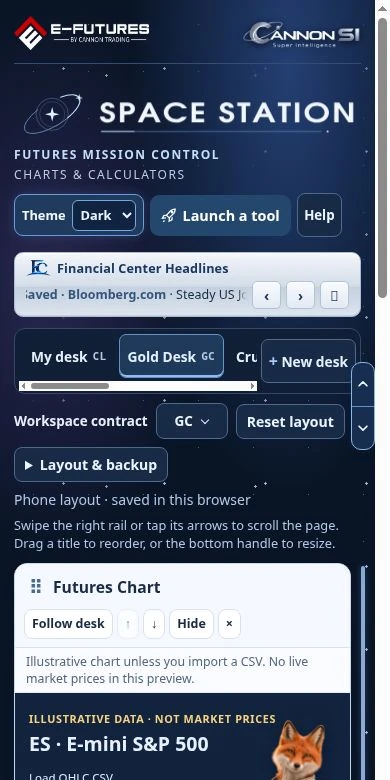
Space Fox explains tool terms and helps you find your way around the station. The illustrated guide covers panel controls, desktop and phone layouts, and backup and restore.
How it worksNo. Use Space Station to check your numbers. To explore Cannon’s separate platform for order entry, see CannonX or try its demo.
No brokerage login is required. Desks are saved in the current browser. To use them elsewhere, export and restore a backup file.